

The Etihad Airways network includes a host of internal systems for things such as human resources processes, training programs, operational management dashboards, internal company email accounts, and application software for various departments. However, managing multiple password requirements for all of these systems can be difficult, so Etihad decided to integrate Okta, a cloud-based platform providing identity and access management for major enterprises, into its systems.
This means that all internal systems of Etihad are managed by the Okta Etihad login system — a single login that provides access to any software or tool that you are authorized to access. As simple as it sounds, it is not uncommon for people to encounter issues, such as the inability to find the login page, failure to receive OTP (one-time password), or a temporary block due to several unsuccessful attempts.
What Is Okta Etihad?
Okta is an external company providing identity and access management (IAM) solutions to organizations, and Etihad Airways uses one of these solutions in the form of the Okta Etihad login portal. With it, instead of remembering multiple user accounts for different systems, employees and partners are provided with single sign-on (SSO): with one login you have access to all of the software you are supposed to access as part of your work.
This can be compared to a master key for the entrance to an office building. Just as one would carry only one key for entering into an office building and would not need a key for each floor separately, Etihad employees use the Okta Etihad login page to gain access to the whole range of internal systems.
The partnership between Etihad and Okta was introduced as part of the transition to cloud-based identity management systems aimed at ensuring convenient and secure sign-ins for Etihad employees and its loyalty program members.
Reports on the development of the enterprise IAM market in the aviation industry note that airlines are increasingly using platforms like Okta due to their highly distributed workforces.
Okta Etihad vs Etihad Guest – Understand the Difference
One thing needs to be cleared from the very beginning: Okta Etihad and Etihad Guest are not the same thing.
| Difference | Okta Etihad | Etihad Guest |
|---|---|---|
| Who it’s for | Employees, partners, contractors, iTrain users | Passengers and frequent flyers |
| What it accesses | Internal email, HR tools, dashboards, training systems | Flight bookings, miles redemption, account statements, offers |
| Login type | Internal, credential + MFA-based SSO | Public customer account login |
| Public or internal | Internal system, restricted to authorized users | Publicly accessible to any traveler |
When you need to book a flight, check the balance of your mileage rewards, or perform other tasks, you need Etihad Guest, not Okta Etihad. This guide is dedicated to the internal side of things.
Who Should Use the Okta Etihad Login Page?
Okta Etihad is intended for people who need to access the internal systems of Etihad as part of their work. This includes the following people:
- Employees of Etihad Airways, including corporate staff, ground service workers, and other operational personnel;
- Partners and contractors of Etihad who have been granted access to internal systems as part of their cooperation with the company; and
- iTrain users, who in turn are divided into full-time staff members who sign in using the Okta login page, and trainees who use another method.
If none of the above describes you and you are merely a customer, use Etihad Guest instead.
What Can You Access Through Okta Etihad?
After successful authentication on the Okta Etihad login portal, you can use it to access a variety of internal tools, among which there may be:
- Internal communication platforms used for communication within the company
- HR self-service system that provides access to payroll information and leave requests related to your employee identification number
- Internal dashboards and management systems used in different departments for performing daily tasks
- iTrain, as well as other learning management system
- Department-specific applications, depending on the department you are working with — e.g., ground services department and operation department may have unique tools available only for them.
What systems you can access depends on your position in the company and your authorization rights.
How to Access the Okta Etihad Login Portal
Logging into the Okta Etihad login portal is not complicated once you know the right procedure, and it works the same way whether you are in an office or accessing the system remotely.
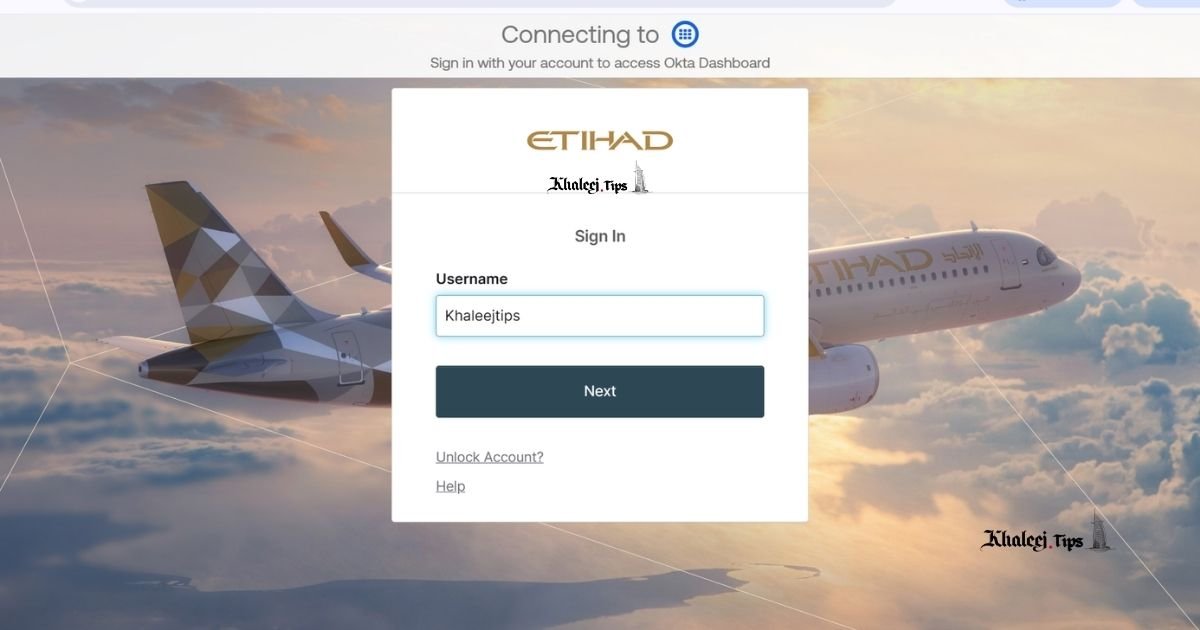
- Open the official page of the Okta login page using the link that has been provided by your employer. Never use links found online, as you may stumble upon outdated pages, unofficial copies, or even malicious websites.
- Enter your username — usually this is your work email address or your employee identification number.
- Enter your password.
- Complete the step of multi-factor authentication (MFA). This may involve entering the one-time code that has been sent to you via SMS, approving push notification through the Okta Verify app, or entering the code that has been sent to you via email.
- You will be directed to the page with the applications you have access to.
Just a minor tip that can save you from much frustration — add the official login page link to your bookmarks in the browser. Searching for a website each time you need to sign in increases the chances of stumbling upon something you shouldn’t.
First-Time Login / Account Activation
Your first login differs slightly from regular logins in the way that you don’t have an existing account yet, so you cannot use your regular username and password.
Typically, new hires or partners of the company receive an invitation or activation email, and in it you will find all necessary information about how to set up your account and activate it. One of the steps involved in setting up your account is usually configuring MFA.
If the organization you are part of uses the Okta Verify app, you will need to download it and connect your account to it using the QR code displayed in the activation process.
Most Common Okta Etihad Login Issues & Their Solutions
As mentioned previously, issues with Okta login portal happen to everyone, and they are usually caused by several factors. Here are the main types, listed in the form of a quick reference guide and explained in more detail afterwards.
| Error | Likely Cause | Quick Fix |
|---|---|---|
| Incorrect username or password | Typo, Caps Lock on, expired password | Use “Forgot Password” to reset |
| OTP or verification code not arriving | Outdated phone number on file, network delay | Contact IT/HR to update your registered number; check spam folder for email codes |
| Okta Verify or MFA not working | App not synced, new device, lost phone | Contact IT helpdesk to reset MFA enrollment |
| Account locked | Too many failed login attempts | Wait out the cooldown period or request a manual unlock from IT |
| Page not loading or showing errors | Browser cache/cookies, outdated browser, VPN/network restrictions | Clear cache, try a different browser, check your network or VPN connection |
Incorrect Username or Password” Error
The most common and harmless login issue. It may happen if you accidentally pressed Caps Lock button or made a typo in the username field, and the password has simply expired. If this is not the case, and you believe that your credentials are valid, do not keep trying — use the “Forgot password?” feature on the login page.
Repeatedly guessing your password will only result in a lock of your account, which is not going to make things easier.
Not Receiving OTP / Verification Code
If your code does not arrive, in most cases it is due to outdated, incorrect, or blocked phone number on record. Network problems may also occasionally interrupt the delivery of the message.
The solution here is not something you can solve yourself — you will need to contact your IT or HR team and ask them to verify and update the mobile number associated with your account so that future codes will arrive at the right place.
Okta Verify App / MFA Not Working
Another common reason why people experience problems with the login page is a malfunction in the multi-factor authentication, which can happen if your device has been upgraded, or if the app has been reinstalled, or if it has not been used for a long time.
The root cause of the problem is usually that your device is not synchronized anymore with your account.
You will again need assistance from your IT team to resolve this issue. They will need to reset your MFA enrollment so that you can set it up anew on your device.
Account Locked” or Too Many Failed Attempts
Most security systems, including Okta, automatically lock user’s account after reaching a certain amount of unsuccessful attempts to enter their credentials as a way to prevent brute-force attacks. In most cases, there is a cooldown period that is required for the account to be unlocked automatically.
If you need to get access to your account immediately or the cooldown is not working, you will have to submit a request for unlocking your account manually to your IT helpdesk.
Page Not Loading / Site Errors
Sometimes the problem is not in your credentials but in something else entirely. It may be related to an outdated browser, cache of cookies, network connection, or a firewall blocking access to the website.
Here are the basic things you should do before calling for help:
- Clear the cache and cookies of your browser
- Try to log in using a different browser
- Verify your internet connection and if necessary switch it off and on
- If necessary, turn off the firewall or antivirus temporarily and try to log in again.
Staying Safe: Okta Etihad Phishing Protection
The pages for logins of companies are often targeted by phishing scams, and the Okta Etihad login portal is no exception. Cyber criminals know that creating a fake website of the login portal and applying some pressure on users will be enough to trick even the most vigilant people into sharing their credentials.
Some tips to stay protected:
- Use the official page only. Do not follow links found in unsolicited emails, texts, and search engine results.
- Double check the URL of the page before you enter your credentials. Most phishing websites have URLs that are similar to the original ones but include a typo or a subdomain that you do not recognize.
- Do not share your password or your one-time password (OTP) with anyone, even if it seems that it is IT specialist who is asking.
- Do not sign in using a shared or public computer that can be accessed by another person after you.
The Okta platform includes strong security mechanisms, such as multi-factor authentication and encryption, and many organizations implement additional measures, such as zero trust security model, but it is still up to the user whether he or she wants to fall victim of cybercriminals or not.
Who to Contact in Case of Account-Specific Problems?
If you have tried all of the solutions suggested in the previous chapter and you are still facing problems with your Okta Etihad login account, your only choice is contacting the internal IT or HR helpdesk of the company. Only they have the permission and capability to perform actions such as resetting MFA enrollment, updating the mobile number associated with your account, or manually unlocking the account.
Again, be cautious when doing this. Do not post any of your personal data in public forums and comment sections — it may be easy and tempting, but remember that your credentials are also useful to the scammers.
FAQ
What is the Okta Etihad login for?
Okta Etihad login page is a single sign-on system that allows the staff and partners of Etihad Airways to access the internal systems (email, HR-related software, management dashboards, learning management system) using one set of credentials.
Is the Okta Etihad login portal the same as the Etihad Guest portal?
No, Okta Etihad is for internal use by employees and partners, while Etihad Guest is used by customers of the airline to book flights, manage their mile rewards, and use other customer features of the website.
Why do I not receive the OKTA Etihad login code?
It usually happens because the mobile phone number stored in your profile is either outdated or invalid. If your codes do not arrive, contact your IT or HR team to check and update it.
What should I do if my account is locked?
The account is usually locked to prevent brute force attack after the maximum number of unsuccessful attempts to log in. Often accounts unlock automatically after a while, but if you need to unlock your account immediately, contact the IT helpdesk.
Can I use the Okta Etihad login page safely?
The platform uses multi-factor authentication and encryption, which means it is relatively safe from hackers. However, you can still get tricked by phishing scam. Always use the official website, check the URL of the page, and do not share your credentials with anyone.
Conclusion
The Okta Etihad login portal serves the purpose of granting Etihad Airways’ employees, partners, and iTrain users with a safe access to internal systems, without the trouble of remembering multiple sets of credentials.
Okta Etihad and Etihad Guest portals are different, and knowing the difference is half of the success. Apart from that, most of the issues are related to just a few problems that can be easily solved, but when something is not quite right, and you face an unusual page, using official channels is safer.
Add the official login page link to bookmarks, update your contact information with IT or HR teams, and contact the internal helpdesk for account-specific problems — and you will be logged in safely and quickly.