

Payday comes, and you stand at the counter wondering whether your salary is on your PPC card yet. Or maybe you have just tried to get some cash from the machine, but the ATM declined your transaction even though you felt that there should have been enough funds on your card. Sounds familiar? Then you belong to a huge community of users of prepaid NBAD cards in UAE who have to carry out PPC NBAD balance checks regularly.
What is wrong is that many guides online give only a set of generic tips on how to carry out these checks but do not explain in detail why there is still the term “NBAD” used even though the bank does not exist anymore, what an NBAD balance check is, etc. This guide will fill in the gaps in your knowledge about the balance checks of PPC NBAD cards and other aspects of its usage.
By the end of this guide, you will learn everything about PPC NBAD balance checks, including all the possible ways of carrying out this procedure, the background information on the NBAD to FAB merger, the tips on how to protect yourself against the increasing number of fake websites targeting this exact search term. So, let’s start.
What Is a PPC NBAD Balance Check? (Understanding the Basics)
PPC NBAD balance check is simply the procedure of checking your remaining amount of money on your Payroll Paycard (PPC) that was issued under the National Bank of Abu Dhabi (NBAD). Unlike the usual debit card or bank accounts that can hold your salary, prepaid cards cannot hold any balance, but are topped up by your employer on a regular basis (usually, monthly).
In most cases, the prepaid card is the only available and reliable way for workers from various companies in UAE to receive their salary. It does not involve any cheques or receiving cash, but involves crediting your salary to the card.
Now, it is important to note that the name of your card issuer can mislead you a little bit since National Bank of Abu Dhabi and First Gulf Bank were united in 2017 into one organization that is called First Abu Dhabi Bank or FAB. The merger happened, and the branding of NBAD disappeared, but it is not true in most cases. So, when someone types PPC NBAD balance check, he or she is actually checking the balance on his or her prepaid card that is managed by FAB.
Also, it is worth mentioning that there is a special card called Ratibi that is widely used together with the Wage Protection System (WPS), which is the framework managed by the Ministry of Human Resources and Emiratisation (MOHRE). The purpose of WPS is to pay wages to workers using the approved electronic channels, such as Ratibi PPC.
If you are interested in the technical details of the system and the guarantees that it gives to you, the official MOHRE website is the best source for you to find this information.
Why You Should Check Your PPC NBAD Balance Regularly
Even though checking your balance on a prepaid card might seem unnecessary until you notice a problem with it, there are several reasons why you should perform this procedure more often. Here are several of the benefits:
Confirmation that your salary was credited to the account on time. Sometimes, employers are not very punctual when it comes to the time when your salary is deposited on your card.
Protection against declined transactions. You will be embarrassed if you try to withdraw money from the till and it is declined because you thought you had more money on your card.
Early detection of fraud activities. Any unauthorized transactions are easier to dispute and cancel if you spotted them in a couple of days instead of several weeks.
Easier budgeting. Checking the balance regularly allows you to budget more efficiently.
According to the industry data, prepaid cards are the most popular among expatriate workers of UAE who do not have a connection with the banks and cannot use any other ways to receive salaries. This is exactly the audience of people who have to check the balance on their prepaid cards regularly.
- Available Balance vs. Ledger Balance
Ledger balance on your PPC card is the total amount of money that has been received on your card account. Available balance is what you can actually use now and equals the difference between the ledger balance and the amount of money that has been blocked by a pending transaction. This is one of the most confusing things for cardholders who want to withdraw money.
Usually, there are several reasons why the transaction is declined even though your balance on your card seems fine. This happens when you have already made a certain payment that is pending, so a part of the funds is blocked on it. As soon as the transaction is processed, the money will be unblocked, and your available balance will increase.
When you see that there are more funds on your card account than you can use, it is worth considering that your available balance has been reduced because of some kind of block.
5 Ways to Check Your PPC NBAD Balance (2026 Methods)
There are five methods to check your PPC NBAD balance that are efficient in different cases. Here is the comparison of all the methods before we talk about each of them separately:
| Method | Steps Required | Registration Needed? | Speed | Best For |
|---|---|---|---|---|
| PPC Inquiry Portal (Magnati) | Enter last 2 digits of card + Card ID | No | Instant | Anyone with internet access, no app needed |
| Mobile Banking App | Register/login, navigate to balance section | Yes | Instant | Frequent checks, transaction history |
| ATM Balance Inquiry | Insert card, enter PIN, select Balance Inquiry | No | Instant (in person) | Those without smartphone/internet access |
| SMS Balance Check | Send balance request in correct format | Mobile number must be linked | Near-instant | Basic phones, no internet needed |
| Customer Care / Call Center | Call and verify identity | No | Slower (queue times) | Lost cards, disputes, technical issues |
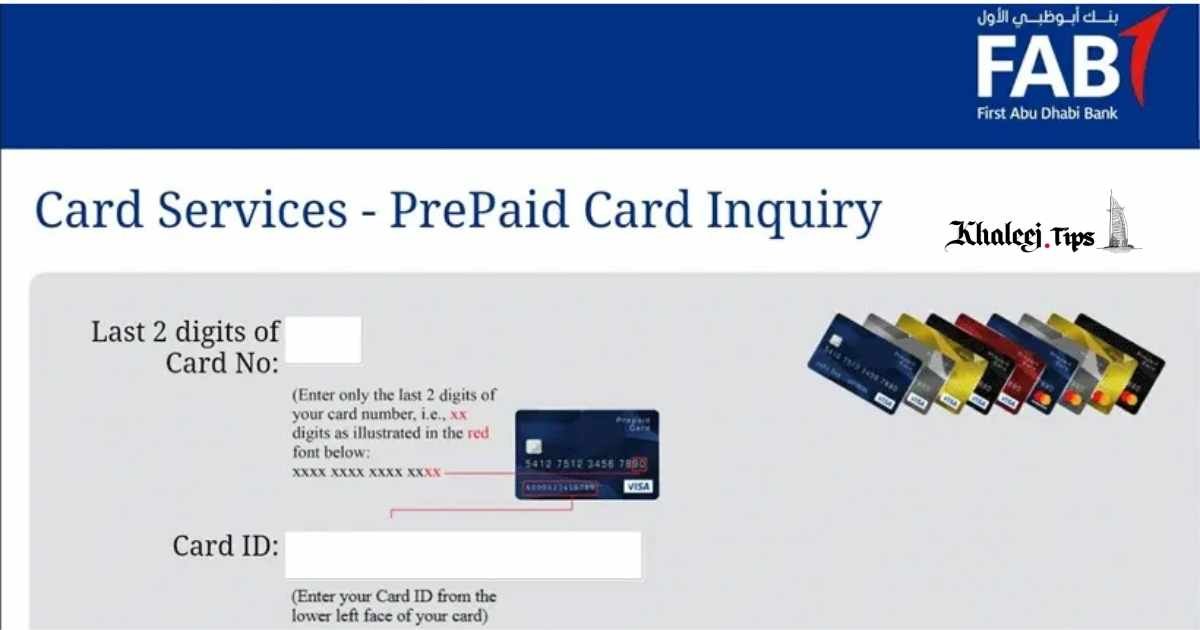
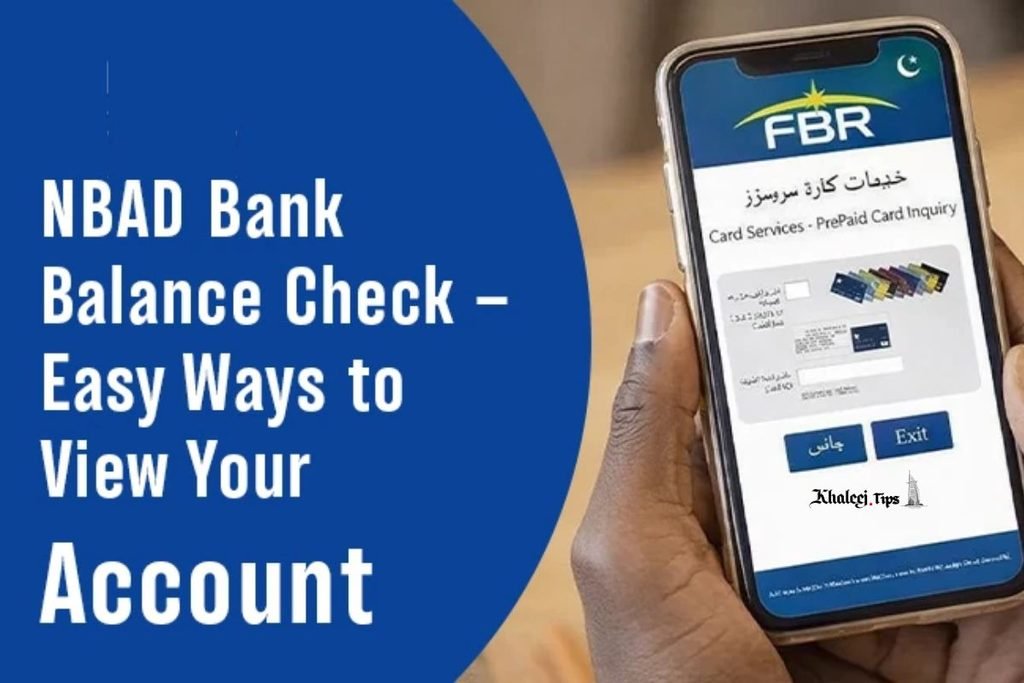
1. NBAD/FAB PPC Inquiry Portal (Magnati)
This is the fastest way to check the balance of your prepaid card if you have a computer or a smartphone with a browser at hand. The process is very simple:
- Go to the official prepaid card inquiry website (the system operates on Magnati, which is the payment processing partner of FAB).
- Enter the last two digits of your card.
- Enter your Card ID.
- Press the “Go” button and see the current balance of your prepaid card.
There is no need to have any registered account or credentials, which makes it the best solution for people who simply want to know how much money is left in the card. In addition, it works from outside the UAE as long as you have an internet connection.
Important to note that the number of search results of this page is very high, and some of them are the pages that look like the official page but are not. Be sure that you are on the right website.
2. Mobile Banking App
If you already have the mobile app installed, you can easily check your balance:
- Start the FAB mobile app.
- Register or log in with your account (if it is the first time you have to do this).
- Find the section called “Balance Check” or “Accounts”.
- Choose your card in the list of your cards/accounts.
- See the balance of your PPC NBAD card.
This method has one advantage over others. You can see your recent transactions in addition to the amount of money left on the card.
3. ATM Balance Inquiry
If you are looking for a simple way to check your balance without using the internet, you can use an ATM:
- Find a nearby FAB ATM.
- Insert your prepaid card.
- Choose your preferred language (Arabic or English).
- Enter your card PIN code and proceed.
- Select “Balance Inquiry” in the menu.
- See your balance on the screen or request a receipt.
You can say that it is not the fastest way to perform the balance inquiry procedure, but some people still prefer it.
4. SMS Balance Check
If you are using the mobile phone without an internet connection or simply prefer SMS to use any other ways of communication, then this method is the right one for you:
- Open your messaging app.
- Type the request for balance inquiry according to the format specified by your card provider (you have to confirm this information when activating your card).
- You will get the response with your balance very soon.
- This method is available only when your mobile number is registered and linked to your account on the card. So, in case you have recently changed your number but did not inform the card provider about it, this should be the first point to check.
5. Customer Care / Call Center
Sometimes you simply cannot use any digital way of communication with the bank or with your card provider because your card has been lost or stolen, you are disputing transactions, or something goes wrong with your mobile app or website. In this case, calling the customer care center is the only solution.
In order to speed up the process of your identity verification, you have to have your card number, Card ID, and information about the transaction if it is necessary. So, you should have all this information at hand.
Step-by-Step Troubleshooting: What to Do If Balance Check Fails
In most cases, balance inquiries fail because of a mistake in the SMS format, outdated version of the mobile app, or other small mistakes. However, there are several steps to take in case the balance check failed.
Confirm the SMS format and the mobile number. The most popular mistake in performing the SMS balance checks is the wrong format of the message or wrong mobile number linked to your prepaid card.
Update the mobile app or install it again. There is the problem with some outdated versions of the mobile app that can fail to load your balance. Reinstalling or updating solves the problem in the majority of cases.
Check your entries on the website. On the Magnati inquiry website, it is enough to enter one wrong digit of your card number to get an error. So, you have to enter everything carefully.
Contact customer care if it is still not working. This problem is usually related to your account, and there is no other way to solve this issue but contacting the customer care.
Security Best Practices for PPC NBAD Cardholders
As it was already mentioned before, the number of search results for this exact search phrase is very high, and it is difficult to distinguish the real websites from fake ones. For this reason, it is recommended to use the following tips to keep your card protected from scams and unauthorized transactions:
Do not share your OTP, PIN, or credentials with anyone. Even when you speak with the so-called representatives of customer care center over the phone.
- Use only verified versions of mobile apps and domains.
- Log out from the mobile apps when you finish the procedure.
- Report a loss or theft of your card as soon as you noticed this.
If you want to learn more about the security practices for your PPC card, you can use the website of the UAE Central Bank that publishes a lot of useful materials on the financial safety of digital banking.
NBAD to FAB: A Quick History for Context
Now, to clarify the confusion that appeared earlier, here is a brief history of how National Bank of Abu Dhabi became First Abu Dhabi Bank:
In 2017, National Bank of Abu Dhabi and First Gulf Bank merged to form First Abu Dhabi Bank. The branding of NBAD disappeared, but there are still a lot of prepaid cards with NBAD name that are in use and are administrated by FAB.
This is the complete explanation of why there is PPC NBAD balance check in 2.026 in the website that belongs to the system managed by FAB. It is not the separate bank, nor discontinued service, just the naming convention.
FAQ
Is NBAD still a separate bank from FAB?
No. NBAD merged with First Gulf Bank in 2017 to become First Abu Dhabi Bank (FAB). Today, “NBAD” mostly refers to legacy-branded prepaid cards that are still in circulation and administrated by FAB.
The merger was one of the largest consolidations in the region, and although the institutional name changed immediately, the cards and search habits took much longer to update — which is why “NBAD” name is still seen in balance checks.
Do I need to register to check my PPC NBAD balance online?
No. The official PPC inquiry site only requires the last two digits of your card number and your Card ID — there is no need in registration or login.
This makes the website the quickest way to get the information about your balance, even though the mobile app requires the registration and provides some additional functionality.
Why is my PPC NBAD balance check via SMS not working?
The most frequent reason is the wrong SMS format or unregistered mobile number.
Make sure your number is linked to your account before starting any troubleshooting procedures.
What is the difference between available balance and ledger balance on a PPC card?
Ledger balance is your total funds on the card, and available balance is your total funds minus blocked amounts due to the pending transactions.
It is one of the most frequent reasons of transaction rejection, even though your balance is enough. Some of the funds are blocked due to some pending transactions that have not been processed yet.
Can I check my PPC NBAD balance while traveling outside the UAE?
Yes. Online portal, mobile app, and SMS balance check are working internationally, as long as you have an active internet or mobile connection.
ATM balance check may be limited according to the country, and your card may not be supported by the ATM network of the country.
Conclusion
PPC NBAD balance check does not have to be complicated, and now you know how to check it using five convenient methods. The knowledge of the NBAD-FAB transition will help dispel the mystery about the names which often confuses many people holding cards, and awareness of the difference between the available balance and the actual ledger balance will keep you out of trouble by avoiding any failed transactions just when you need them the most.
The most useful lesson that can be learned from all this is the following one: bookmark the official website, register your mobile number in order to get SMS alerts, and set the notification settings for the app.
Check Also: NBAD Balance Inquiry